

Overview
Promo codes allow you to apply discounts to your subscription when upgrading or switching plans. This guide covers how to enter promo codes correctly and what to expect when applying them.Where to Enter Promo Codes
Promo codes can be entered in two places:In Stripe Checkout
If you’re using Stripe checkout, you can also enter promo codes directly in the Stripe checkout page.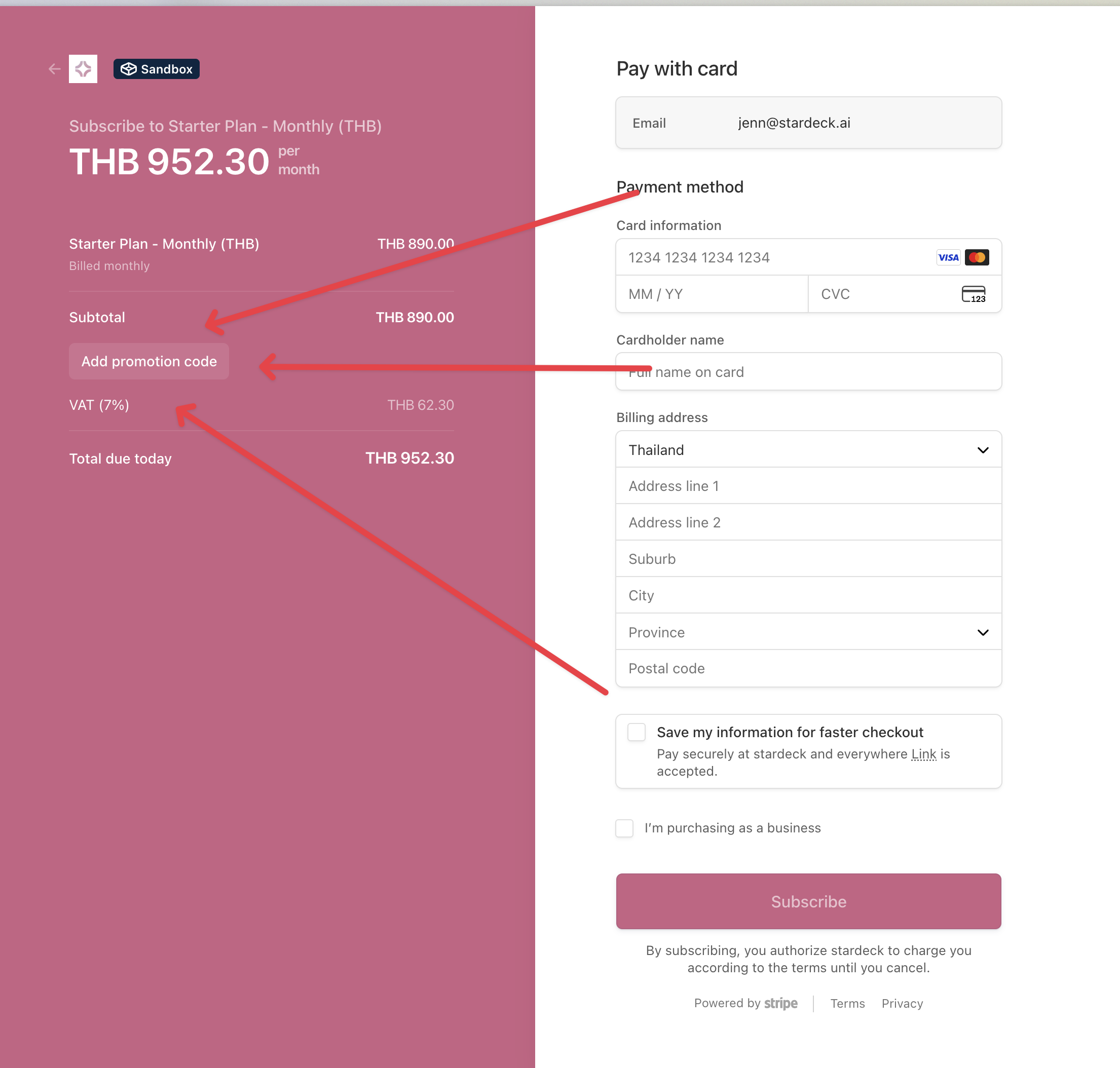
When switching plans
When switching from an existing plan, you’ll see a promo code input field where you can enter your code before proceeding to checkout.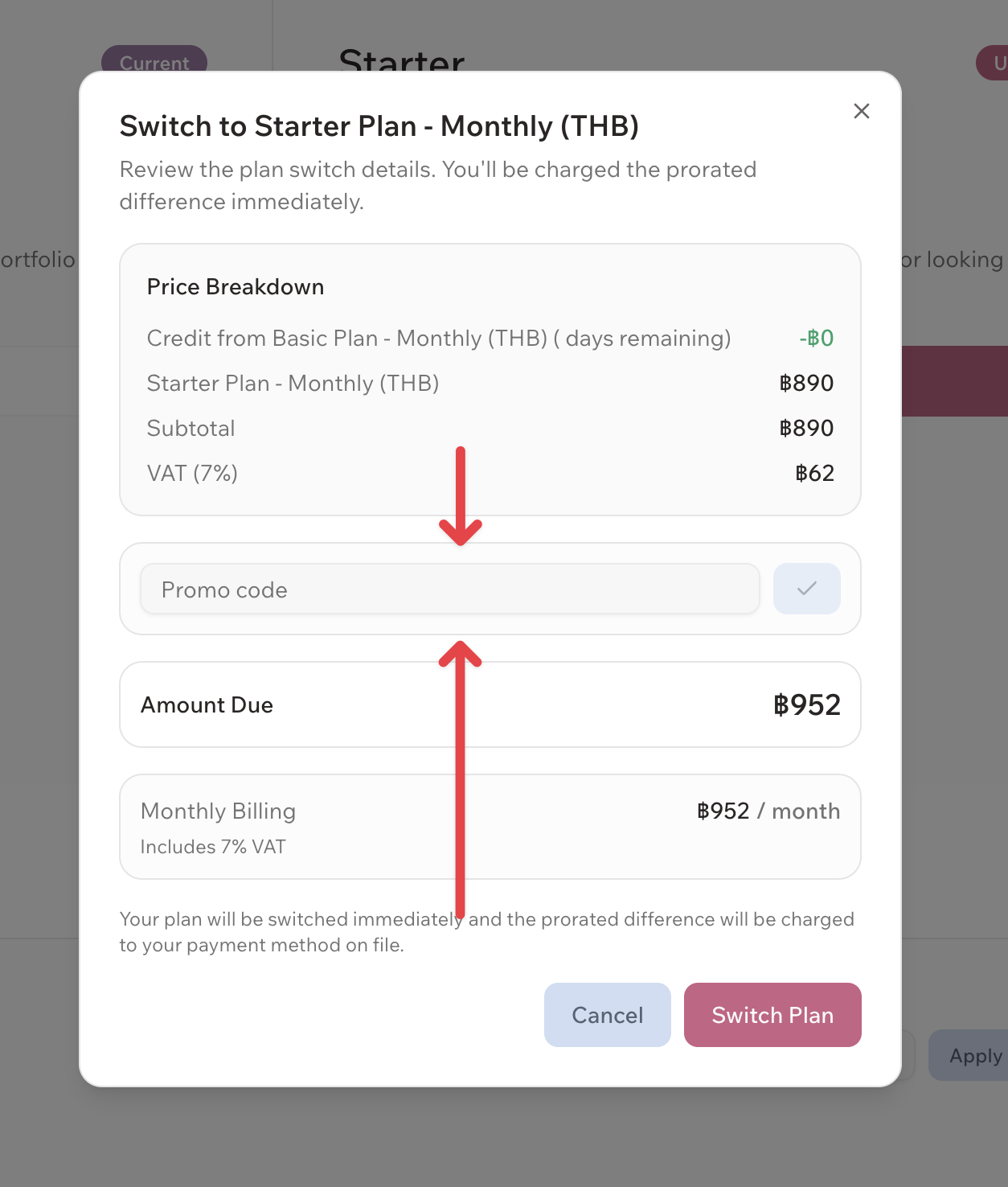
Where NOT to enter promo codes
The “Secret code” field on the plan selection page is not for promo codes. Adding it there will not work.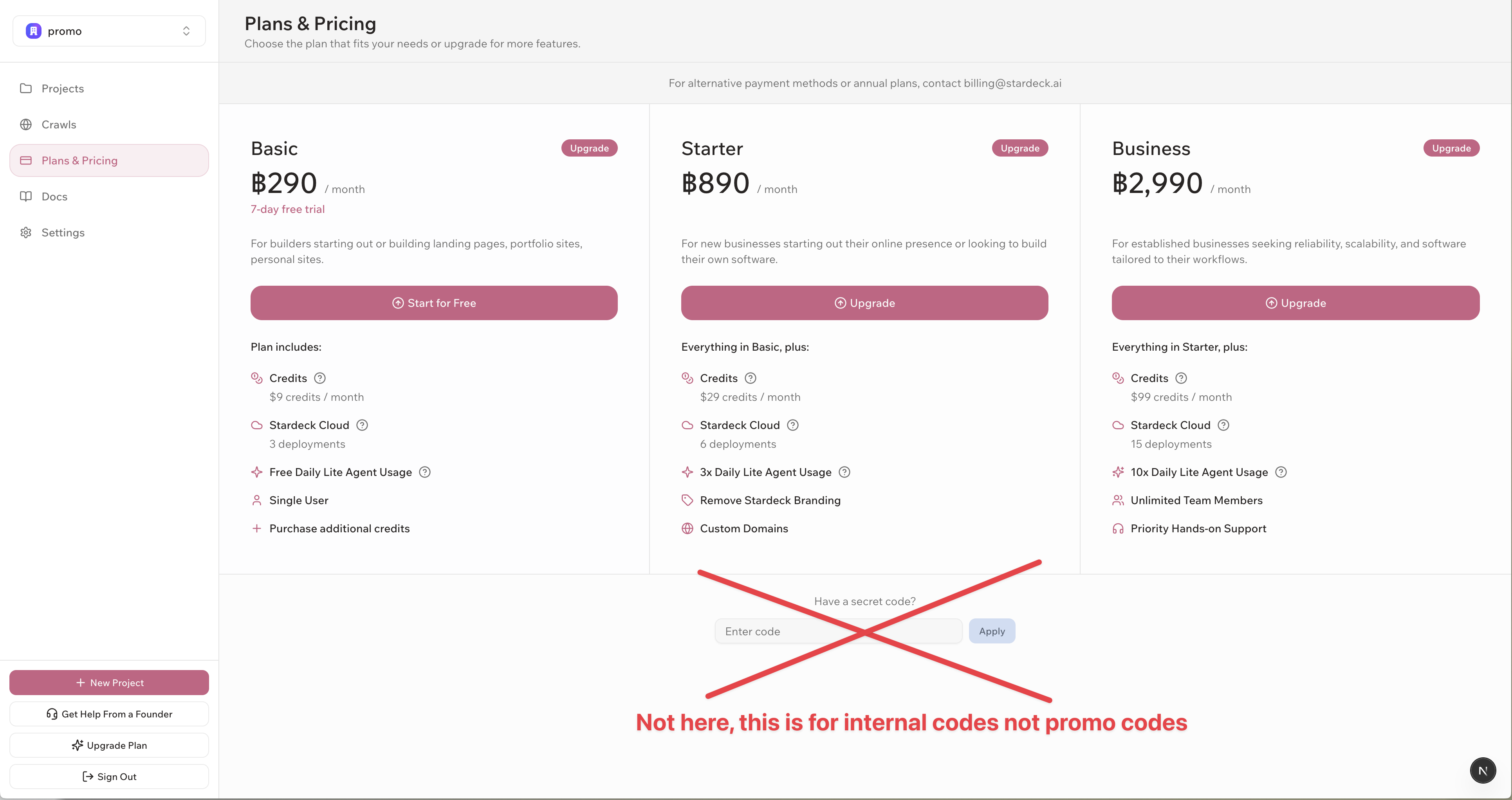
Need Help?
If you’re having trouble with a promo code:- Contact support through your dashboard
- Email support@stardeck.ai
- Verify the code details with whoever provided it to you
Promo codes are subject to terms and conditions. Some restrictions may apply.